
Description
Introduction
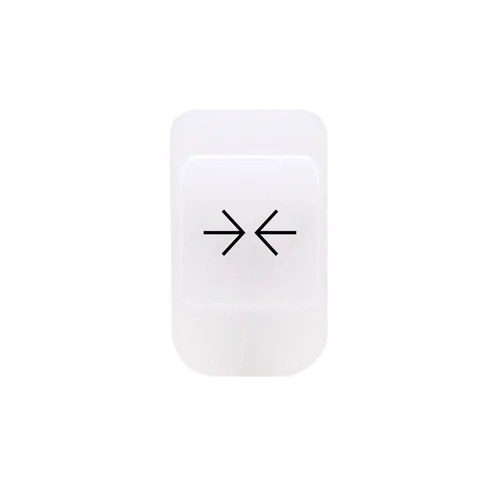
The GEWISS GW10517A Gemma push-button cover with the Close symbol is designed for integration within KNX building automation user interfaces. As part of the GEWISS Gemma product line, this component provides a clear tactile and visual indicator for motorized control functions such as shutters, blinds, or door release mechanisms. This device is part of our Button Covers & Symbols products range.
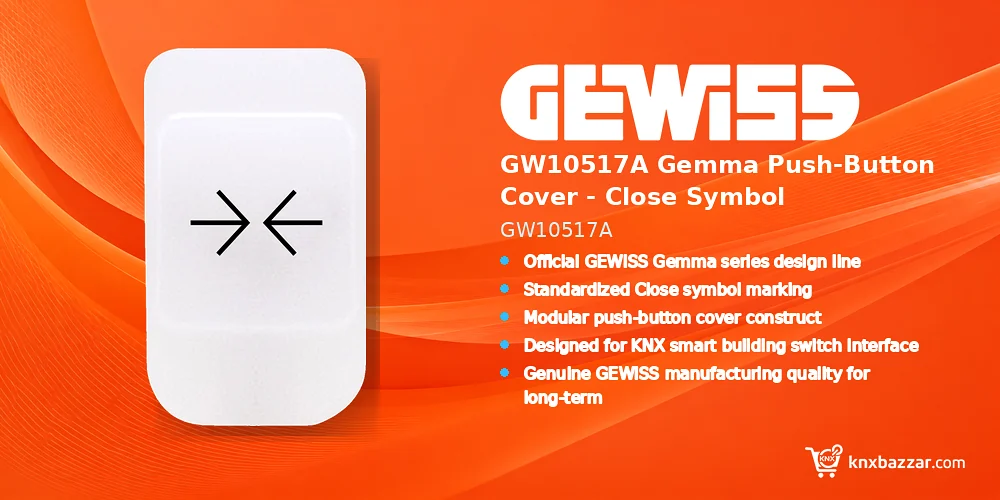
When procuring components for commercial or residential KNX installations, verifying exact part numbers against project Bill of Quantities (BOQ) is critical. The GW10517A ensures functional clarity and aesthetic consistency across control points.
Key Features
- Official GEWISS Gemma series design line compatibility.
- Standardized Close symbol marking.
- Modular push-button cover construct.
- Designed for KNX smart building switch interface modules.
- Genuine GEWISS manufacturing quality for long-term reliability.
Benefits
- Provides a clear visual Close symbol for intuitive user interaction in KNX automation networks.
- Designed specifically for compatibility with GEWISS Gemma series modular wall controls.
- Helps standardize user interface labeling across building management installations.
- Ensures accurate procurement alignment when matching project BOQ specifications.
- Supports straightforward snap-on installation for system integrators and installers.
Technical Specifications
Applications
- Commercial office spaces utilizing KNX automated blind and shutter control systems.
- Residential KNX installations requiring intuitive push-button labeling for closing functions.
Installation Notes
- Verify compatibility with the specific GEWISS Gemma switch mechanism frame and module prior to installation.
- Ensure the push-button cover is firmly snapped into place on the switch mechanism without applying excessive force.
FAQ
What is the primary function of the GEWISS GW10517A cover?
The GEWISS GW10517A is a Gemma series push-button cover featuring a Close symbol designed for modular KNX switch interfaces. Explore more GEWISS KNX solutions for professional building automation projects.
How do I ensure this component matches my project specifications?
Cross-reference SKU GW10517A with your official project BOQ and GEWISS Gemma series documentation to verify correct aesthetic and functional alignment. For certificates and current technical files, refer to the official GEWISS documentation.
Does this SKU include the underlying electronic KNX switch module?
No, the GW10517A represents the button cover keycap only; active KNX actuator/push-button modules and mounting frames must be procured separately as per project requirements.
What is the exact product model?
The order/model code for this page is GW10517A. Match it against project documents before purchase.
Who is the manufacturer?
This product is manufactured by GEWISS.
Where can I find the official technical documentation?
Use the manufacturer product page and datasheets for this exact SKU. Always verify the latest revision before specifying the product.
Conclusion
The GEWISS GW10517A Gemma push-button cover delivers a clear Close functional symbol for KNX user control interfaces. Integrating original GEWISS components ensures aesthetic harmony and seamless operation across smart building switch points. Installers and system integrators can review our professional project support options.
To prevent ordering errors, buyers and system integrators should confirm model numbers, series compatibility, and BOQ requirements prior to purchasing.
Reviews
There are no reviews yet.