
Description
Introduction
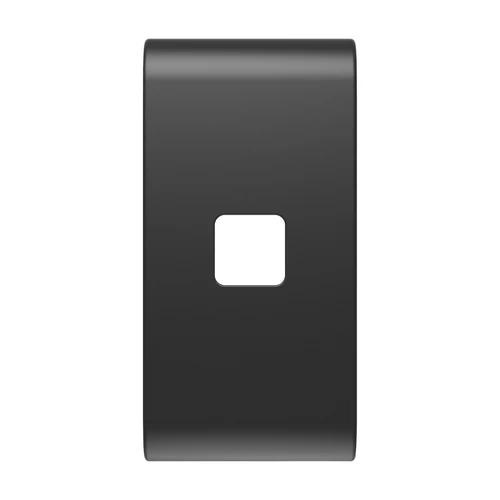
The GEWISS GW12551S is a 1-module replaceable switch button cover engineered specifically for axial switches within the GEWISS ChoruSmart modular building automation and wiring device family. Designed with a sleek Satin Black finish, this button cover allows for custom visual indication setups when paired with compatible illuminated symbol lenses, offering a modern look for residential and commercial switch panels. This device is part of our professional Button Covers & Symbols range.
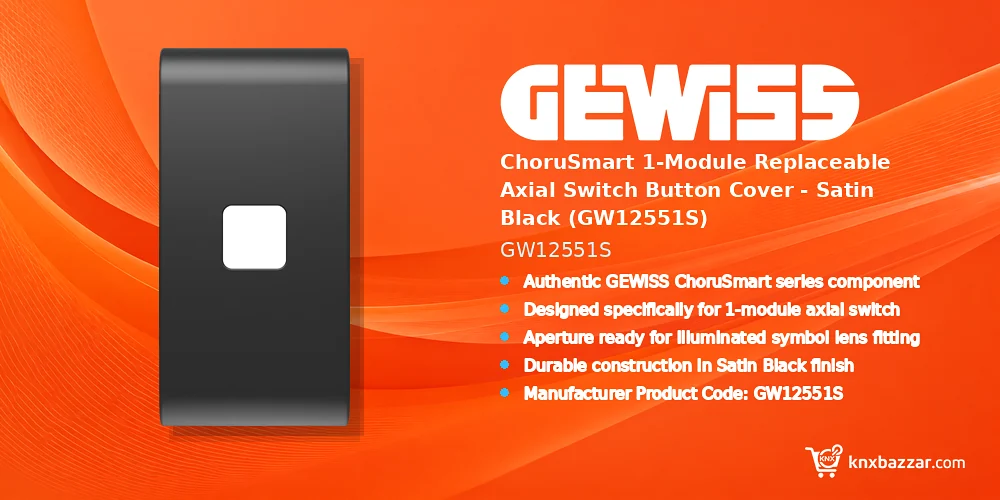
Because technical specifications for this accessory are derived from limited source data, thorough verification against your project’s Bill of Quantities (BOQ) and official GEWISS technical documentation is strongly advised prior to procurement. Ensuring exact compatibility with installed ChoruSmart axial switch bases and decorative support frames guarantees seamless mechanical integration and avoids wrong orders.
Key Features
- Authentic GEWISS ChoruSmart series component.
- Designed specifically for 1-module axial switch mechanisms.
- Aperture ready for illuminated symbol lens fitting.
- Durable construction in Satin Black finish.
- Manufacturer Product Code: GW12551S.
Benefits
- Enables modular customization within the GEWISS ChoruSmart device ecosystem.
- Elegant Satin Black finish seamlessly integrates into modern interior designs.
- Designed to accommodate illuminated symbol lenses for clear functional signaling.
- Standard 1-module footprint simplifies planning, ordering, and grid alignment.
- Allows easy snap-on replacement for maintenance or cosmetic updates without rewiring.
Technical Specifications
Applications
- Custom lighting and scene control switches requiring illuminated status symbols.
- Commercial offices and residential projects using GEWISS ChoruSmart modular systems.
- Upgrades and maintenance replacements for existing 1-module ChoruSmart axial switches.
Installation Notes
- Verify that the underlying switch mechanism is a compatible GEWISS ChoruSmart axial switch before installation.
- Insert the required illuminated symbol lens into the button aperture prior to snapping the button cover onto the switch body.
- Consult official GEWISS installation guides to ensure proper alignment with ChoruSmart decorative plates and support frames.
FAQ
Which switch mechanism is the GEWISS GW12551S cover compatible with?
The GEWISS GW12551S is designed specifically for 1-module axial switch mechanisms within the GEWISS ChoruSmart modular range. Explore more GEWISS automation devices for professional building automation projects.
Does the GW12551S button cover include the symbol lens?
This product code represents the replaceable button cover itself, designed to accept an illuminated symbol lens, which should be verified against your project BOQ. For certificates and current technical files, refer to the manufacturer technical documentation.
How can I prevent purchasing errors for this product?
Verify the exact manufacturer code (GW12551S) against official GEWISS product catalogs and your project documentation before placing an order.
What is the exact product model?
The order/model code for this page is GW12551S. Match it against project documents before purchase.
Who is the manufacturer?
This product is manufactured by GEWISS.
Where can I find the official technical documentation?
Use the manufacturer product page and datasheets for this exact SKU. Always verify the latest revision before specifying the product.
Conclusion
The GEWISS ChoruSmart 1-module axial switch button cover in Satin Black (GW12551S) provides a practical, refined solution for modern modular switch installations. Its ability to accept illuminated symbol lenses makes it an ideal choice for clear visual indication in structured building control systems. Installers and system integrators can review our become a KNX dealer options.
When ordering for project deployments, always confirm exact model numbers and compatibility with official GEWISS documentation. Sourcing genuine components through KNXbazzar guarantees quality and precise fit across your installation.
Reviews
There are no reviews yet.